
Here’s something that happens more than you’d think. A family moves to a new town. Sunday morning comes. They open their phone, type “churches near me,” and your church, the one that’s been serving your community for 20 years, doesn’t show up. The family finds a different church instead.
This isn’t hypothetical. It’s playing out in thousands of communities right now. And the frustrating part is that it’s almost never about the size of your church or your budget. It’s about a handful of fixable things that most church websites get wrong by default.
Here’s what’s actually keeping your church off Google, and how to fix each one.
Why This Matters More Than You Might Think
A lot of pastors figure that word-of-mouth is enough. And to some degree, it always will be. But consider what actually happens when someone in your community has a spiritual need today.
They open Google.
Not the Yellow Pages. Not the church directory their parents used. Google. And what they type isn’t always “church.” It might be “grief support near me,” “baptism classes,” “where can I get married,” or yes, “churches near me.” If your church isn’t showing up for those searches, you’re not in that conversation.
Your website is your digital front door. Most first-time church visitors find their church online before they ever walk through the door. If Google can’t find your church, neither can the people looking for it.
The #1 Reason Your Church Is Invisible: Your Google Business Profile
If you do nothing else after reading this post, do this one thing.
Go to Google and search your church’s name right now. Look at the right side of the screen. Do you see a panel with your church’s photo, address, hours, and reviews? That’s a Google Business Profile (think of it as your church’s Google ID card). If that panel doesn’t appear, or if the information is wrong or unclaimed, this is your biggest problem.
Your Google Business Profile is completely separate from your website. It’s a free listing that tells Google you exist, where you are, and when you’re open. Without it, Google has no reliable signal that you’re a real, active church in your community.
Here’s the fix. Go to Google.com/business and claim your profile. Fill out everything:
- Church name, exactly as people know it
- Address, your physical location, not a PO Box
- Phone number, one that actually gets answered
- Hours, including Sunday service times
- Category, select “Church” or your denomination
- Website, link directly to your church’s homepage
- Photos, at least 5 real photos of your building, interior, and congregation

That’s it. Churches that add their profile and keep it updated consistently start appearing in local map searches within a few weeks. It’s not magic. It’s just giving Google the information it needs to trust you.
Your Website Isn’t Speaking Google’s Language
Your website might look great to a human. Google is not a human. Google is a system that reads your pages looking for specific signals that tell it what your church is about and where you’re located. If those signals are missing, Google guesses. And it guesses wrong a lot.
Here are the signals most church websites are missing.
Page titles. Every page on your site has a title, the text in the browser tab. If your home page title just says “Home” or “Welcome,” Google has almost nothing to work with. It should say something like “Grace Community Church | Worship Services in [Your City], [State].”
Your location in your content. Your website should clearly state your city and state somewhere on the home page. Not just buried in a footer address. In actual sentences. “Serving the [City] community since [Year]” works fine.
Consistent name, address, and phone. Your church name, address, and phone number should be identical everywhere, your website, your Google Business Profile, your Facebook page, any local directory. When these match exactly, Google trusts your information more. When they differ, Google gets confused and your ranking drops.
Your church’s name in headings. Google pays extra attention to heading text (the large, bold lines on a page). If your church name and city show up in a heading, not just a paragraph, Google weighs those words more heavily.
None of this is technical work. It’s mostly writing the right words in the right places.
The Fix Nobody Talks About: Speed and Mobile
Here’s the counterintuitive one.
Most church leaders assume that if they added more content, better photos, or a cleaner design, Google would rank them higher. Sometimes that’s true. But a big chunk of church websites are hurting themselves for a completely different reason: they’re slow, and they’re hard to use on a phone.
Google actually measures how fast your pages load. They also evaluate how your site behaves on mobile screens. Since 2021, Google has been ranking sites primarily based on how they look and perform on a phone, not a desktop.
Think about who’s searching for your church. Visitors are probably doing it on their phone, in their car, on a Sunday morning. If your site takes 8 seconds to load, has text that requires pinching and zooming, or has buttons too small to tap, Google notices and pushes you down the results.
You don’t need to become a web developer to fix this. But you do need a church website platform built with speed and mobile performance baked in. If your current site was built years ago on a generic page builder, there’s a real chance this is already costing you.
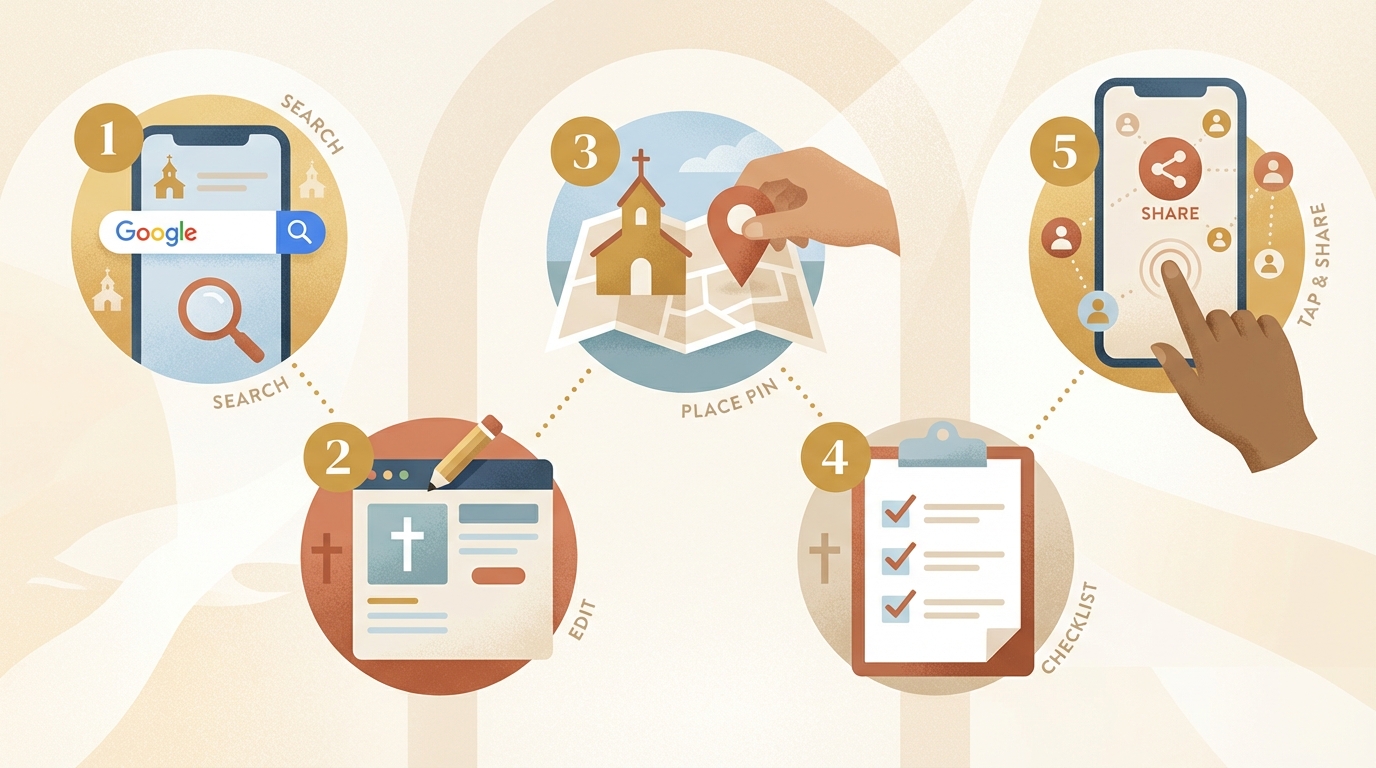
Your 5-Step Fix This Week
Here’s what to actually do, in order of impact.
1. Claim and complete your Google Business Profile. Free. Takes about 30 minutes. Highest-impact thing you can do today. Google.com/business.
2. Update your home page title. Log into your website and find where you can edit the page title. Make it say: “[Church Name] | [City], [State] | Sunday Services [Time].”
3. Add your city and state to your home page. Somewhere in a paragraph or section heading, mention your city by name. “We’re a church in [City] that…” is a good start.
4. Check your name, address, and phone consistency. Compare how your church name, address, and phone appear on your website vs. your Google Business Profile vs. your Facebook page. They should match exactly, character for character.
5. Test your site on your phone. Pull up your church website on your own phone right now. Does it load quickly? Is the text readable without zooming in? Can you tap the menu easily? If any of those is a no, you’re losing ground to churches that said yes.
None of these require a developer or a big budget. They require a few hours of your time, and the results show up within a few weeks.
If you want to skip the setup altogether, FaithMade handles this for you. Every FaithMade site is mobile-optimized and fast by default, includes built-in SEO tools that set the right signals automatically, and makes it easy to connect your Google Business Profile. You shouldn’t have to become an SEO expert just so your neighbors can find you on Sunday morning. Start a free trial at FaithMade and see how quickly “visible on Google” can become the easy part.
